
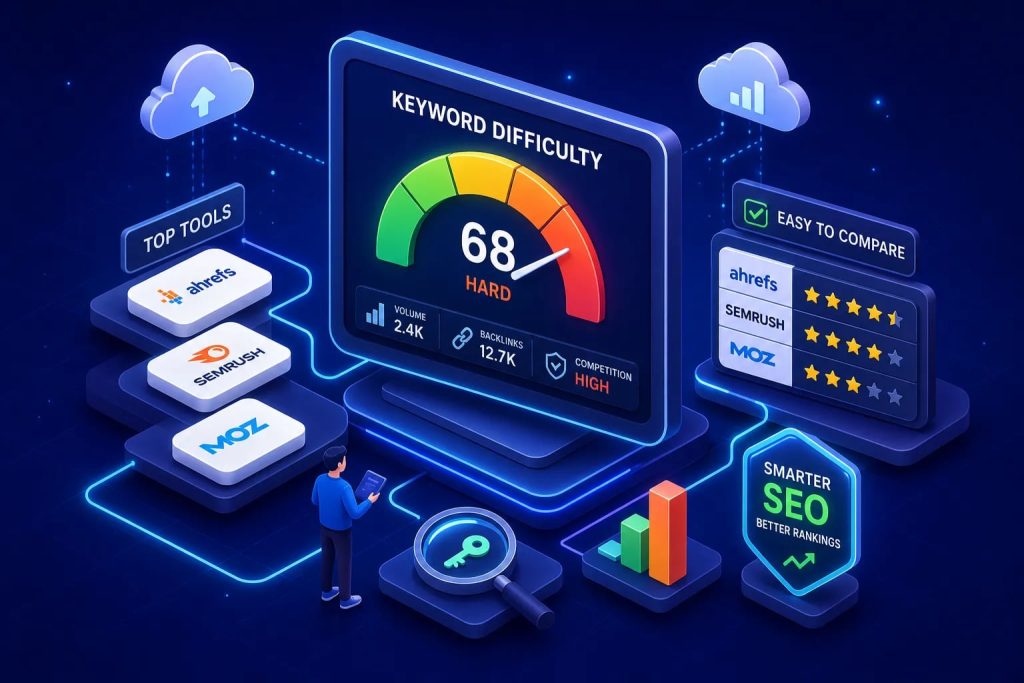
Many marketers pick keywords based on search volume and instinct, then spend months producing content that never cracks page one. A reliable keyword difficulty checker is built to solve exactly that problem, but only if you’re using the right tool and reading the score correctly. A KD of 40 in Ahrefs is not the same as a KD of 40 in Semrush, and treating them as equivalent is one of the most common campaign planning mistakes you’ll encounter.
This article covers how the major SEO difficulty scoring tools calculate their numbers, what the free tiers actually give you, how to interpret those numbers without being misled by your domain authority gap, and how we at Md. Ebadul Islam’s consultancy built a weighting framework to match difficulty against resource capacity for client campaigns. By the end, you’ll be able to shortlist three to five actionable targets your site can realistically pursue right now.
How a keyword difficulty checker calculates its score
Every KD tool runs on a 0 to 100 scale, but the inputs behind each number differ significantly. Understanding the calculation method is what lets you use a keyword difficulty checker intelligently rather than just trusting it at face value.
Ahrefs: backlink-focused and nonlinear
Ahrefs calculates its difficulty score by analyzing the referring domains pointing to the top 10 ranking pages for a given keyword. The more unique domains linking to those pages, the higher the score. The scale is also nonlinear: the gap between KD 70 and KD 80 represents a substantially larger jump in competition than the gap between KD 30 and KD 40.
On-page signals are not factored into the Ahrefs KD score, which keeps the metric focused on backlink competition but also means it can understate difficulty in content-heavy niches where topical authority matters as much as link equity. For pure backlink comparison, Ahrefs is fast and clean. For a fuller picture, you need to layer in your own SERP inspection.
Semrush, Moz, and SE Ranking: broader signal mixes
Semrush incorporates multiple ranking signals beyond raw backlink counts. Its KD formula combines the median referring domains to ranking URLs, the Authority Score of those domains, follow-to-nofollow ratios, and SERP feature presence including featured snippets, local packs, and branded results. This is why the same keyword frequently scores significantly higher in Semrush than in Ahrefs. Semrush’s own data shows “volvo xc90” scoring KD 49 in Semrush versus KD 1 in Ahrefs, a vivid illustration of how much methodology can diverge between platforms.
Moz grounds its difficulty score in Page Authority and Domain Authority of the currently ranking pages rather than raw backlink counts. SE Ranking and Serpstat both use composite scoring approaches that blend link and authority signals, making them closer to Semrush than to Ahrefs in philosophy. Each tool is internally consistent, but they are not measuring the same thing.
Why cross-tool divergence affects your prioritization decisions
Using one tool’s KD score to plan a campaign that was budgeted or benchmarked against another tool’s numbers causes real allocation errors. If your team set a “target KD under 40” rule using Ahrefs, then switched to Semrush mid-campaign without adjusting the threshold, you may find yourself pursuing keywords that are far more competitive than your ceiling allows. Pick one tool as your primary reference, your core KD checker, and apply it consistently across every keyword decision for that campaign.
Top keyword difficulty checkers compared: free versus paid
The right tool depends on your budget, the volume of research you need to run, and whether you want SERP data alongside the raw difficulty score. Here’s how the major options stack up before you commit to a subscription.
Best free keyword difficulty checker options
Ahrefs offers a standalone free KD checker that requires no account, supports up to 10 keywords per check, and returns the referring-domain-based score immediately. Semrush’s free tier allows approximately 10 lookups per day, a commonly reported limit based on secondary comparisons, so check Semrush’s current free-tier documentation for the latest figures. Moz requires a free account and caps access at around 10 queries per month, though this is a widely cited figure rather than a vendor-confirmed number; review Moz’s official free-tier terms for verification. All three are useful for spot-checking individual keywords, but none of them support the bulk analysis you need for a real content roadmap.
Free tiers are validation tools, not research engines. Use them to confirm a score you’ve already flagged from a paid tool, or to check one keyword before deciding whether to invest in a full subscription.
Paid platforms with meaningful depth for serious campaigns
Ahrefs, Semrush, and Moz all unlock bulk keyword analysis, historical trend data, SERP previews, and API access on their paid plans. SE Ranking and Serpstat offer mid-market pricing with composite difficulty scores and are worth evaluating for agencies managing multiple client accounts simultaneously. The choice between platforms usually comes down to whether you prefer Ahrefs’ backlink-centric precision or Semrush’s broader signal approach, neither is universally superior; they serve different analytical priorities.
When to cross-check tools rather than rely on one score
Cross-checking is warranted when a keyword sits in the 35 to 55 KD range and the campaign decision carries significant budget weight. Significant divergence between two platforms is a direct signal to open the live SERP and inspect the ranking pages manually before committing to or dismissing the keyword. Let the tools narrow your list; let the SERP make the final call.
How to read a KD score without being misled by it
The difficulty number is a screening signal, not a verdict. Raw scores mean different things depending on your domain’s strength, the specific SERP composition, and the search context behind the query.
Adjusting difficulty for your site’s actual authority
Interpret KD relative to your Domain Rating or Domain Authority, not as an absolute threshold that applies equally to every site. A keyword at KD 35 is realistic for an established site with DR 50 and may be completely out of reach for a new site with DR 12. According to benchmark data cited by RankTracker and drawing on Backlinko’s research, average websites reach the top 10 at roughly 78% for KD 0 to 20, dropping to around 42% at KD 20 to 40, 18% at KD 40 to 60, and just 6% at KD 60 to 80. Treat these as directional estimates from secondary sources rather than precise targets, the goal is to build a personal difficulty ceiling based on your competitive position against the pages already ranking.
Why inspecting the live SERP matters more than the score alone
Open the actual results page before finalizing any keyword target. Check the authority and freshness of the pages holding the top 10 positions. If weak or outdated pages are ranking, the KD score may be overstating difficulty and there is a real opening. If strong brands dominate the top five results, the KD may actually be understating how hard it will be to break through. The SERP is ground truth; the score is an estimate.
SERP features, local intent, and search volume thresholds
Featured snippets, local packs, and shopping results reduce organic click-through even when you rank on page one, so account for them in your traffic projections. A keyword with solid search volume and manageable difficulty can still deliver disappointing organic traffic if the SERP is dominated by features that absorb clicks before users reach the blue links.
Always set your keyword difficulty checker to the correct geographic location, because local SERPs can be materially easier or harder than the global default view. Apply a minimum volume filter first, then sort ascending by KD, then check intent. Never chase high-volume keywords at a difficulty level your site cannot realistically compete at.
How we weight difficulty scores to prioritize client campaigns
KD scores are only useful if they connect to actual resource decisions. At Md. Ebadul Islam’s consultancy, we built a proprietary weighting framework designed to match difficulty against each client’s domain authority and available content budget, so that every keyword we pursue has a realistic return window rather than just a theoretical ranking ceiling.
The resource allocation framework behind our campaign prioritization
We score each keyword candidate across three dimensions: difficulty relative to the client’s current Domain Rating, monthly search volume above the client’s minimum viable threshold, and commercial intent match with the page type we can credibly produce. This three-axis approach aligns with best practices widely recommended in the SEO literature, applied here as a structured internal workflow. Keywords that clear all three thresholds enter the active campaign shortlist. Those that fail on difficulty alone are placed into a six-month “grow into it” backlog rather than discarded, so no high-value target is permanently lost.
Tiered keyword roadmaps: quick wins, mid-term targets, and authority builders
Quick wins are keywords below the client’s current domain ceiling with clear commercial or navigational intent and sufficient volume to justify the content investment. Mid-term targets sit roughly 10 to 15 KD points above the client’s current ceiling, a heuristic we use internally, not a vendor-defined rule, and are earmarked for investment once domain authority climbs through the quick-win phase. Authority builders are high-KD, high-value terms that anchor the long-term content strategy but are never treated as the primary focus in month one of any campaign.
What adjusting KD thresholds by site strength actually changes
In our experience, setting a KD ceiling of 20 for a new e-commerce client and focusing on long-tail transactional terms can produce measurable page-one rankings within roughly 90 days, though results will vary by niche and execution. The volume per keyword is typically modest, but the cumulative traffic from 15 to 20 ranked pages builds the domain authority needed to pursue mid-tier targets in subsequent quarters. For an established B2B client in the DR 55 range, targeting the KD 35 to 50 window has, in our work, generated qualified organic leads without entering territory where brand giants dominate and content investment rarely pays back within a reasonable timeframe. These are illustrative examples from our internal work, not controlled study results.
Building your shortlist of actionable low-difficulty targets
Now that you understand how difficulty is calculated, how tools diverge, and how to interpret scores against your own site’s position, here is a repeatable process for selecting three to five keywords to pursue first.
The opportunity equation every target must pass
Every keyword on your shortlist should clear four gates. The KD must be manageable for your domain’s current authority level. Search volume must clear your minimum threshold, which varies by business model but should represent enough potential traffic to justify the content effort. The keyword’s intent must align with a content type you can credibly produce and that matches what the SERP is already rewarding. And the live top-10 pages must include at least some results you can realistically compete with after comparing their domain authority to yours. A keyword that clears all four is a genuine opportunity; one that fails even one gate warrants a second look before you commit.
A practical workflow for finding your first keyword targets
Filter your keyword list by volume first to remove terms below your threshold, then sort ascending by KD. From the 10 to 15 candidates that surface at the top of that filtered list, open each live SERP and compare the Domain Rating of ranking pages against your own site. If you’re within 10 to 15 points of most of the top-10, a practical heuristic, not a guaranteed rule, the keyword is worth pursuing. If you’re outgunned across the board, move down the list to the next candidate.
Before finalizing any target, confirm the intent match, check for heavy SERP feature saturation that could suppress your organic CTR, and verify the geographic filter is set to your actual target market. Running this brief SERP check per keyword can significantly reduce the risk of investing months of effort in the wrong targets. Work through your shortlist until you have three to five targets that clear every gate, then build your content calendar around those.
From score to strategy: the full picture
The thread running through everything covered here is that a keyword difficulty checker is an input, not a decision-maker. Scores are methodology-dependent, which means the number is only meaningful when you know which tool produced it, how that tool weighs backlinks versus authority signals, and whether your domain can actually compete against the pages holding those positions. Stripping away any one of those layers leaves you with a number that looks precise and tells you very little.
That’s why integrating keyword difficulty into a tiered roadmap separates campaigns that produce measurable rankings from campaigns that produce content. At Md. Ebadul Islam’s consultancy, every KD score we use is treated as one input in a three-variable equation that also weighs search intent and site strength. That framing changes how clients think about keyword research entirely, from a one-time task to an ongoing prioritization discipline.
Use a single keyword difficulty checker consistently and follow the workflow above to pick three to five targets your site can realistically compete for today. Set a difficulty ceiling based on your domain’s actual authority, inspect the live SERPs, and commit to the targets that clear every gate. That is the work a good KD tool is supposed to make easier, and now you have the framework to use it properly.
